



Waiting for an IPO result can feel frustrating, especially when you have invested your money and want to know whether shares have been allotted to you. Many investors in Nepal, particularly first-time applicants, struggle to find the correct website, understand the allotment process, or determine whether their application was successful.
This guide explains exactly how to check IPO results in Nepal using official methods. You will learn where IPO results are published, how to verify your allotment status through different platforms, what information you need before checking, and how to avoid common mistakes during the process.
In this blog
What Is an IPO Result?
An IPO result is the official allotment outcome that shows whether an investor has received shares after applying for an Initial Public Offering (IPO). Investors can check the result through official portals using their BOID, application number, or other application details.
When a company offers shares to the public, investors submit applications through approved channels. After the application period closes, the share allotment process determines who receives shares and how many shares are allocated.
Every applicant receives an IPO result regardless of whether shares are allotted. The result helps investors understand the status of their application and the next steps they should take.
Key points about IPO results:
- An IPO result confirms whether shares were allotted.
- It is published after the allotment process is completed.
- Results are announced through official channels.
- Investors can verify results online.
- Funds for unallotted shares are released after allotment.
Understanding the IPO Allotment Process
- Application Collection
Investors apply for IPO shares through Mero Share or participating financial institutions during the application period. Each application is recorded and verified before the allotment process begins. The total number of applicants is then compared with the available shares. This helps determine whether the issue is oversubscribed or undersubscribed. - Verification and Validation
All submitted applications undergo a verification process to identify invalid or duplicate entries. Authorities check BOID information, application details, and compliance requirements. Invalid applications are removed before the allotment procedure starts. This ensures fairness and transparency throughout the process. - Allotment Process
The share registrar conducts the allotment according to applicable regulations and guidelines. In most cases, a computerized system randomly allocates shares when demand exceeds supply. The process is usually conducted in the presence of regulators and stakeholders. After completion, final allotment records are prepared for publication. - Result Publication
Once allotment is completed, the official result is published through approved channels. Investors can then check whether they received shares and the quantity allotted. The result remains available online for public verification. Successful applicants can later view the shares in their Mero Share account.
When Are IPO Results Usually Published?
IPO results in Nepal are generally published a few days after the application period closes and the allotment process is completed. The exact timeline depends on verification requirements, subscription levels, and administrative procedures.
Most IPOs follow a predictable timeline from application closing to result publication. However, the duration can vary depending on the number of applications received and the complexity of the allotment process.
Investors should monitor official announcements rather than relying on unofficial sources. This helps avoid confusion and misinformation regarding allotment dates.
Typical IPO timeline:
- IPO opens for applications.
- Application period closes.
- Applications are verified.
- Allotment process takes place.
- Results are officially announced.
- Shares are credited to successful applicants.
Factors that may delay IPO results:
- High application volume
- Additional verification requirements
- Public holidays
- Technical issues
- Regulatory reviews
- Administrative processing delays
How to Check IPO Result Online
The fastest way to check an IPO result is through the official IPO Result Portal managed by CDS and Clearing Limited. Investors simply select the company, enter the required details, and view their allotment status instantly.
Several official platforms allow investors to verify IPO results. Each method provides reliable information and helps applicants confirm whether shares have been allotted.
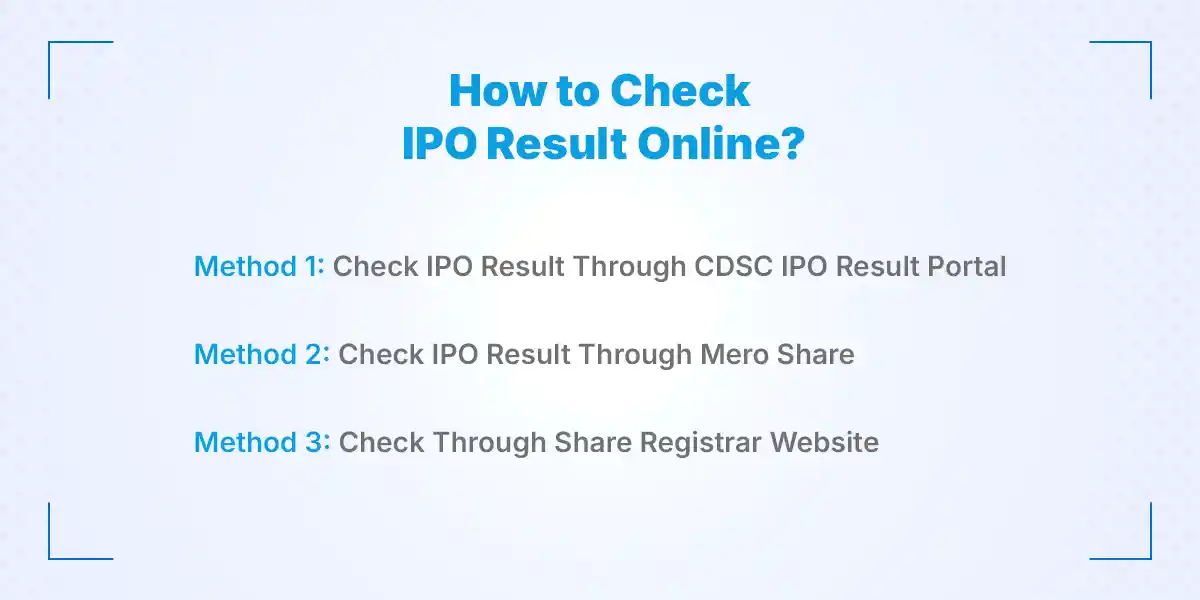
Method 1: Check IPO Result Through CDSC IPO Result Portal
- Visit the Official IPO Result Portal
Open the official IPO Result Portal using a secure internet connection and a trusted browser. This platform is one of the most commonly used sources for checking allotment results. Ensure that you access the correct website to avoid fraudulent pages. Official portals provide accurate and updated information directly from the allotment process. - Select the Relevant Company
Choose the company whose IPO result you want to check from the available list. The portal typically displays recently announced IPO allotments for public access. Selecting the correct company ensures you receive the appropriate result information. Double-check the company name before proceeding. - Enter BOID or Application Details
Provide the required information exactly as submitted during the IPO application process. Most portals request a BOID number, while some may accept application details for verification. Accurate data entry is essential for retrieving the correct result. Even a small error may prevent the system from finding your record. - Submit and View the Result
Click the search or submit button after entering the required information. The system processes the request and displays your allotment status within seconds. You can immediately see whether shares were allotted to your account. Save a screenshot or note the result for future reference.
Method 2: Check IPO Result Through Mero Share
- Log In to Your Mero Share Account
Access your Mero Share account using your username and password. This platform allows investors to manage applications, view holdings, and track allotment status. Ensure that your login credentials remain secure during the process. Successful login provides access to all IPO-related activities linked to your account. - Navigate to the My ASBA Section
After logging in, locate the My ASBA section from the available menu options. This area contains details of all IPO applications submitted through the platform. Investors can review application records and monitor current statuses. The section serves as a central location for IPO-related information. - Find the Relevant IPO Application
Search the list of applications and identify the IPO you wish to verify. Each entry usually includes company information and application details. Reviewing the correct application ensures accurate result verification. Investors should carefully compare company names before checking the status. - Review the Application Status
The application status reflects whether shares have been allotted, rejected, or remain under review. Updates appear after the allotment process is completed and published. This information helps investors understand the outcome without visiting multiple websites. Status updates are generally synchronized with official allotment announcements.
Method 3: Check Through Share Registrar Website
- Visit the Share Registrar's Website
Open the website of the registrar responsible for managing the IPO allotment process. Registrars often publish results and allotment notices directly on their platforms. Using the official registrar website provides another reliable verification method. Investors should always confirm the authenticity of the website. - Locate the IPO Result Section
Most registrar websites maintain a dedicated area for IPO announcements and allotment results. This section contains information related to recent public offerings. Finding the correct section helps streamline the result-checking process. Important notices and updates are usually displayed prominently. - Provide the Required Information
Enter your BOID, application number, or other requested details in the search form. Accurate information ensures successful retrieval of allotment records. Incorrect entries may result in errors or missing records. Always verify the information before submitting the request. - Check the Published Allotment Status
After submitting the details, the system displays the allotment result associated with your application. Investors can view whether shares have been allocated and confirm the quantity received. The information is sourced directly from official allotment records. This provides a trustworthy method for result verification.
What Information Do You Need to Check IPO Results?
Investors should prepare specific information before attempting to verify an IPO result. Having these details ready helps avoid delays and reduces the chance of errors during the search process.
Required information may include:
- BOID number
- Application number (if requested)
- Depository Participant (DP) details
- Registered application information
- Internet-enabled device
- Stable internet connection
The BOID number is the most commonly used identifier for IPO result verification. Keeping this information readily available makes the process faster and more efficient.
Accurate information is important because even minor mistakes can prevent the system from locating your application. Always verify the details before submitting any search request.
What Does Your IPO Result Mean?
Your IPO result shows whether your application has received shares, failed to receive shares, or requires further verification after the allotment process. The status helps investors understand the outcome of their IPO application and what action they need to take next.
After checking an IPO result, many new investors are confused about what different outcomes mean. Understanding each status helps you make better decisions and avoid unnecessary concerns.
Common IPO result outcomes include:
- Shares Allotted:
This means you have successfully received shares from the IPO issue. The allotted shares will be credited to your Demat account after completing the required settlement process. - No Shares Allotted:
This means your application was valid, but you did not receive shares due to high demand and limited availability. Your blocked amount will usually be released according to the standard refund process. - Partial Allotment:
In some cases, investors may receive fewer shares than they applied for. This usually happens when the company receives more applications than the number of available shares. - Application Rejected:
A rejected application means your IPO request was not accepted due to errors or eligibility issues. Common reasons include incorrect details, duplicate applications, or incomplete information. - Under Verification:
This status indicates that the application process is still being reviewed. Investors should wait for the official update before taking further action.
Why Can't I Find My IPO Result?
You may not find your IPO result because the result has not been published yet, the website is experiencing heavy traffic, or the information entered during checking is incorrect. Checking official platforms and verifying your details usually solves the issue.
Many investors experience difficulty accessing IPO results, especially when thousands of people try to check results at the same time. These issues are usually temporary and do not mean that your application has been rejected.
Common reasons why your IPO result may not appear:
- IPO Result Has Not Been Published Yet
Sometimes investors try to check results before the official announcement. The result becomes available only after the allotment process is completed and approved. Always confirm the official publication date before searching. - High Website Traffic
IPO result portals often receive thousands of visitors immediately after publication. Heavy traffic can slow down the website or temporarily prevent access. Waiting for some time and trying again usually resolves the issue. - Incorrect BOID or Application Details
Entering an incorrect BOID number or application detail can prevent the system from finding your record. Carefully verify every number before submitting your search request. Even a single incorrect digit can create an error. - Browser Cache or Technical Problems
Old browser data, internet problems, or temporary server issues may affect result visibility. Clearing your browser cache or using another browser can help. Checking again after a short period often fixes temporary problems. - Registrar Updates Are Still Processing
Sometimes different platforms update results at different times. The official registrar or CDSC portal may take additional time to synchronize information. Investors should rely on official announcements rather than unofficial updates. - Is It Safe to Check IPO Results Online?
Checking IPO results online is safe when you use official platforms such as CDSC, Mero Share, or authorized share registrar websites. Investors should avoid unknown links and never share sensitive login information with unauthorized sources.
With the growth of online investment services, fake websites and misleading information have become common. Using verified platforms protects your personal details and ensures that you receive accurate IPO information.
Follow these safety practices when checking IPO results:
- Use Official Websites Only
Always check results through recognized platforms connected with Nepal's share market system. Official sources provide verified allotment information directly from authorized organizations. - Avoid Suspicious Links
Do not click random links shared through social media, messages, or unknown websites. Fake websites may collect personal information or attempt to steal login credentials. - Never Share Your Passwords
Your Mero Share username, password, and other security details should remain private. Legitimate organizations never ask you to provide passwords through unofficial channels. - Verify Website URLs
Before entering personal information, confirm that you are visiting the correct website. Checking the URL carefully helps prevent phishing attempts. - Keep Login Credentials Secure
Use strong passwords and avoid saving account details on public devices. Maintaining account security protects your investment information.
How to Make Your IPO Investment Journey Easier
Checking IPO results is only one part of becoming a successful investor. Building basic knowledge about Nepal's stock market, company analysis, and investment practices helps you make informed decisions.
Useful habits for new investors include:
- Track upcoming IPO announcements from official sources.
- Learn how public companies perform before investing.
- Maintain updated Demat and Mero Share accounts.
- Understand basic stock market terminology.
- Keep records of your IPO applications.
- Follow reliable financial information platforms.
Many beginners focus only on getting IPO shares but ignore long-term financial knowledge. A better approach is to combine IPO participation with continuous learning about investments, markets, and personal financial planning.
Conclusion
Checking an IPO result in Nepal is a simple process when you use official platforms and understand the correct steps. Whether you check through the CDSC IPO Result Portal, Mero Share, or a share registrar website, the most important thing is verifying information from trusted sources.
The bigger lesson is that IPO investing requires more than just applying for shares. Building financial awareness, learning new skills, and creating additional income opportunities can help you develop a stronger financial future. If you are also exploring career opportunities while improving your professional growth, you can find the latest job openings and career opportunities through Kumari Job, one of Nepal's leading job portals.
Frequently Asked Questions
Submit your comments

Get Our App On



How to Build a Digital Marketing Portfolio in Nepal with Zero Client Experience
VIEW DETAILS
Meta Ads Training Fees in Nepal: Complete Course Fee Guide
VIEW DETAILS
SEO Training for Working Professionals: Skills, Benefits and Career Growth
VIEW DETAILS
How to Become an Office Secretary in Nepal: Skills, Salary, and Requirements
VIEW DETAILS


Loading Comments...