
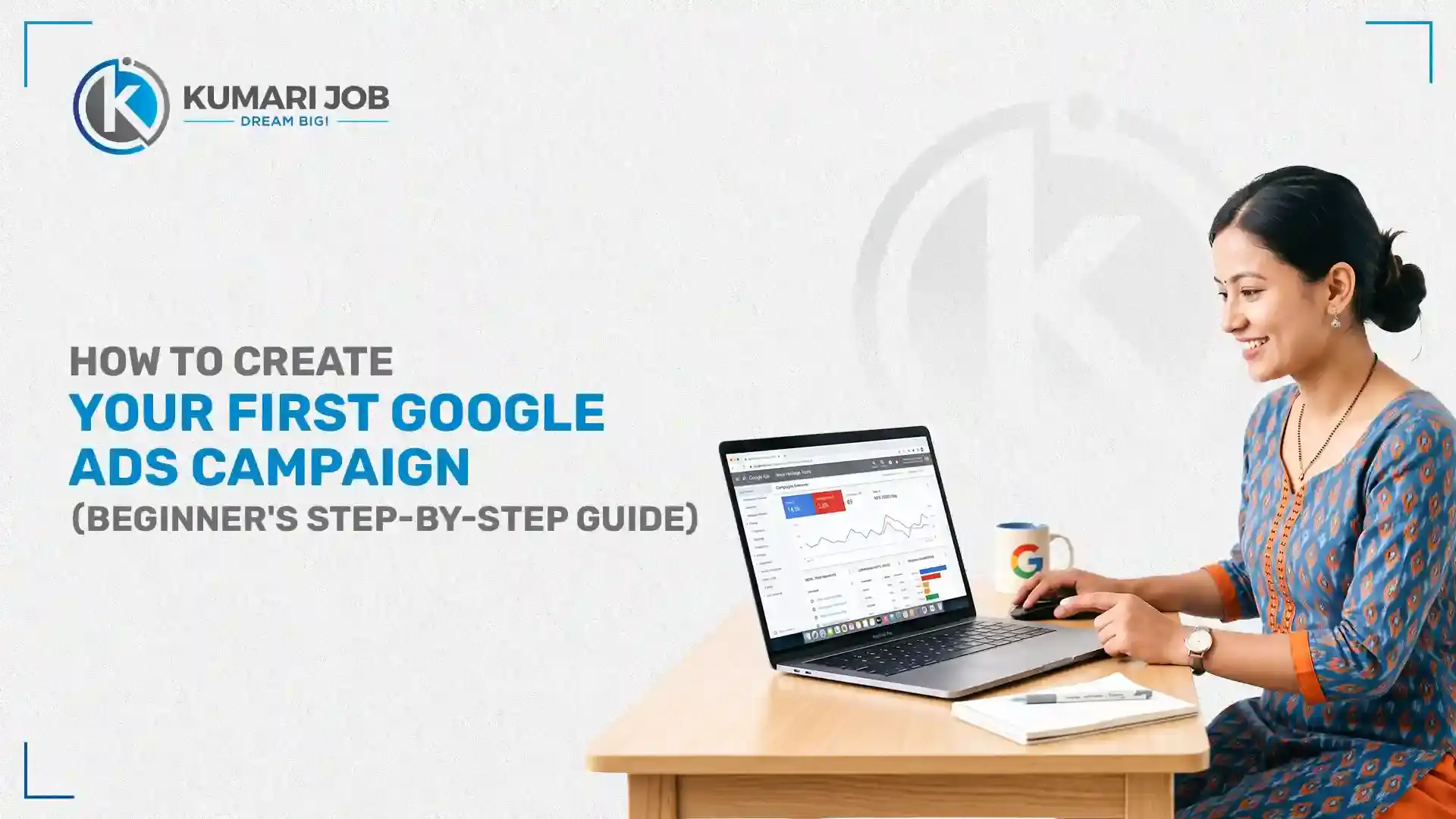

Google Ads is one of the fastest ways to put your business in front of people who are actively searching for what you sell, right at the moment they're ready to buy. This guide is built for business owners, freelancers, marketers, and complete beginners who've never touched an ads account before.
By the end, you'll know what Google Ads is, why it works, what to prepare beforehand, and exactly how to launch and measure your first campaign step by step, with no guesswork.
In this blog
What Is Google Ads?
Google Ads is Google's online advertising platform that lets businesses pay to show ads across Google Search, YouTube, Gmail, the Display Network, and other Google-owned properties. Advertisers bid on placements and pay only when someone takes a specific action, such as clicking an ad or viewing a video, rather than paying a flat fee regardless of results.
How Google Ads Works
Google Ads runs on an auction system: every time someone searches or browses in a way that matches your targeting, Google runs a real-time auction among eligible advertisers. Your position and cost depend on your bid combined with your Ad Rank, a score based on bid amount, expected ad quality (Quality Score), and the expected impact of your ad extensions. This is why a smaller advertiser with a highly relevant, well-optimized ad can still outrank a competitor with a bigger budget.
Types of Google Ads Campaigns
As of 2026, Google Ads offers several distinct campaign types, each built for a different goal and a different part of the customer journey. Choosing the right one before you build anything is the single decision that most affects your results.
Search Campaign: text ads shown directly in Google search results for people actively searching your keywords
Shopping Campaign: product listing ads for e-commerce businesses, pulling from your product feed
Video Campaign: ads shown on YouTube
Performance Max: Google's AI-driven campaign type that runs across Search, Shopping, YouTube, Gmail, Discover, and Maps from a single campaign and budget
Demand Gen Campaign: visually rich ads across YouTube, Shorts, Gmail, Discover, and Maps, designed to build demand among people who aren't actively searching yet
App Campaign: automated ads that drive app installs and in-app actions across Google's properties
Important 2026 update: Google has been actively phasing out standalone Display campaigns throughout 2026, migrating existing ones into Demand Gen and eventually removing the option to create new standalone Display campaigns. If you're setting up a new visual/awareness campaign today, go straight to Demand Gen rather than Display; it now covers the same inventory with more control.
Why Should You Use Google Ads?
Google Ads helps businesses reach potential customers when they are actively searching for products or services. It provides instant visibility, precise audience targeting, budget control, measurable results, and the ability to generate leads or sales faster compared to many traditional marketing methods.
1. Reach Customers When They're Searching
Search campaigns show your ad to people who are actively typing in what they need right now someone searching "book a dentist appointment near me" is already close to a decision, not just casually browsing.
2. Control Your Advertising Budget
You set your own daily budget and bidding limits, and you can pause, adjust, or stop spending at any time; there's no minimum commitment that locks you into a fixed monthly cost.
3. Get Fast and Measurable Results
A well-set-up campaign can start driving clicks and conversions within hours of going live, and every click, cost, and conversion is tracked in real time inside the platform.
4. Scale Your Business with Data
Once you have real performance data, you can double down on what's working, like specific keywords, audiences, or ad formats, and cut what isn't, turning Google Ads into a growth engine rather than a one-off spend.
What Do You Need Before Creating Your First Google Ads Campaign?
Before you open the Google Ads interface, a handful of things need to be in place, or your campaign will underperform no matter how well you configure the settings. Most beginner mistakes come from skipping this preparation stage, not from getting the setup steps wrong.
1. A Google Account
You'll need a Google account to create and manage your Google Ads account. If you already have Gmail, you can use the same account.
2. A Business Website or Landing Page
Your ads need somewhere to send clicks, ideally a page focused on one clear action (a form, a purchase, or a booking) rather than your homepage.
3. Clear Campaign Objectives
Decide upfront whether you're optimizing for sales, leads, website traffic, app installs, or brand awareness. This single decision shapes almost every setting that follows.
4. Keyword Research
Know which search terms your potential customers actually use, using a tool like Google Keyword Planner, so your budget targets real demand instead of guesses.
5. Conversion Tracking
Set up conversion tracking (through Google Ads or Google Analytics/GA4) before you launch, so every click and cost is tied back to an actual result from submission, purchase, or call.
6. Budget Planning
Decide your realistic daily and monthly spend based on your average customer value and industry cost-per-click, so you're not guessing mid-campaign.
How to Create Your First Google Ads Campaign
Creating your first Google Ads campaign involves setting up your account, choosing a campaign goal, selecting the right campaign type, defining your audience, setting your budget, adding keywords, creating ads, and publishing your campaign. For beginners, a search campaign is the most common starting point because it allows you to show ads to users actively searching for your products or services.
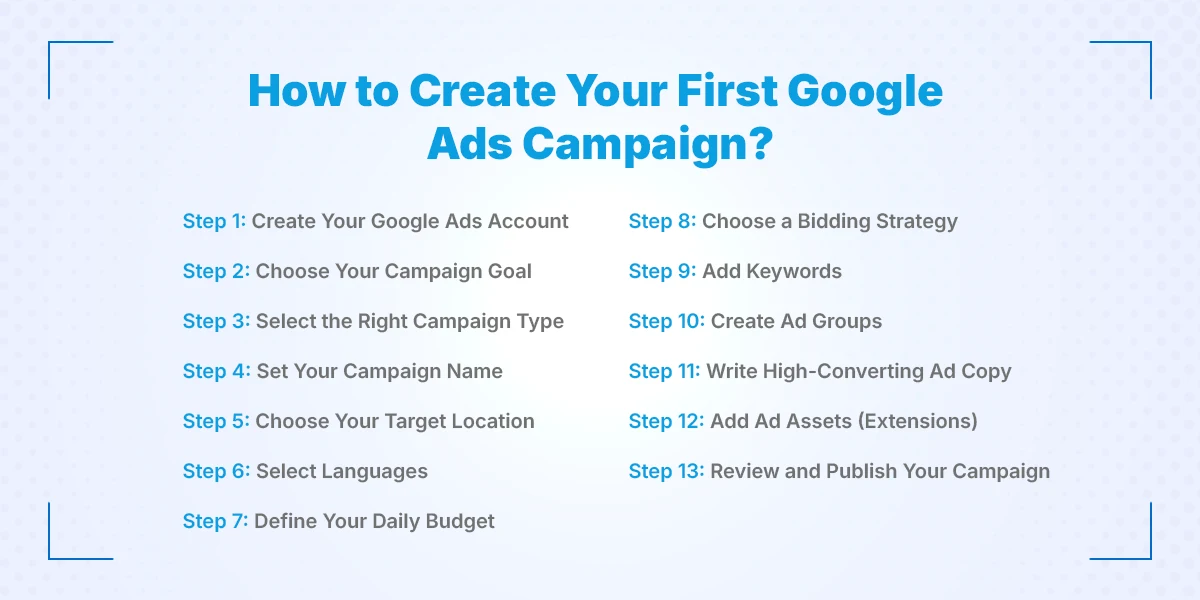
Step 1: Create Your Google Ads Account
Go to ads.google.com and sign up using your Google account, then complete the basic business information Google requests.
Step 2: Choose Your Campaign Goal
Select the objective that matches what you want: Sales, Leads, Website Traffic, App Promotion, Awareness, or "Create a campaign without a goal's guidance" if you want full manual control.
Step 3: Select the Right Campaign Type
Pick the campaign type that fits your goal then search for high-intent traffic like shopping for e-commerce products, use Performance Max for automated cross-channel reach, or Demand Gen for visual, mid-funnel awareness.
Step 4: Set Your Campaign Name
Use a clear, internal naming convention (e.g., "Search – Nepal – Digital Marketing Course – Aug2026") so you can find and compare campaigns easily later.
Step 5: Choose Your Target Location
Set the specific country, city, or radius where your customers are located. This single setting has one of the biggest effects on cost and relevance.
Step 6: Select Languages
Choose the language(s) your target customers actually search in, matching the language of your ad copy and landing page.
Step 7: Define Your Daily Budget
Set a daily budget you're comfortable spending consistently Google may spend up to roughly double your daily budget on high-demand days but won't exceed your monthly average.
Step 8: Choose a Bidding Strategy
Beginners typically start with "Maximize Clicks" or "Maximize Conversions" while gathering data, then move to "Target CPA" or "Target ROAS" once enough conversion history exists.
Step 9: Add Keywords
Add keywords matched to your keyword research, using a mix of match types (phrase and exact match generally give more control for beginners than broad match).
Step 10: Create Ad Groups
Organize your keywords into tightly themed ad groups (e.g., one ad group per product/service) so each group's ads stay closely relevant to its keywords.
Step 11: Write High-Converting Ad Copy
Write headlines and descriptions that speak directly to the searcher's intent, include your main keyword naturally, and end with a clear call to action.
Step 12: Add Ad Assets (Extensions)
Add sitelinks, callouts, structured snippets, and a call extension where relevant; these increase your ad's visible space and typically improve click-through rate at no extra cost.
Step 13: Review and Publish Your Campaign
Double-check targeting, budget, keywords, and ad copy against your original objective, then publish. Most campaigns need Google's ad review (usually within one business day) before ads start showing.
How to Measure Google Ads Performance
Measuring performance means going beyond "did I get clicks" to understanding whether those clicks actually turned into results worth the spend. Google Ads reports every metric you need for this directly inside the platform, without any extra tools required.
Key Metrics to Track
Impressions: how many times your ad was shown
Clicks: How many people clicked through to your site
CTR (Click-Through Rate): the percentage of impressions that resulted in a click
CPC (Cost Per Click): the average amount you pay per click
Conversion Rate: the percentage of clicks that resulted in your desired action
Cost Per Conversion: how much you spend, on average, to get one conversion
ROAS (Return on Ad Spend): revenue generated for every rupee/dollar spent on ads
Which Is the Best Google Ads Training Institute in Nepal?
If you want to move beyond self-taught trial and error, Kumari Job's Digital Mastery Training is a strong option for structured, hands-on Google Ads training in Nepal. It's built around live campaign creation rather than slide-based theory, so you leave with an actual working campaign, not just notes.
Practical campaign creation with live projects
Google Ads, GA4, GTM, and keyword research covered together, not in isolation
Industry-experienced trainers who've managed real ad accounts
Hands-on assignments and case studies based on real business scenarios
Career support and certification on completion
Suitable for beginners, freelancers, and business owners alike
Learn Google Ads with Kumari Job Digital Mastery Training
Structured training shortens the learning curve dramatically compared to piecing together scattered YouTube tutorials and blog posts, because it walks you through decisions in the order you'll actually face them. Instead of theory-heavy lessons, the program is built around setting up real campaigns from scratch.
Hands-on campaign setup instead of theory-only lectures
Opportunity to practice with real business scenarios, not sample data
Direct guidance on budget planning, keyword research, and conversion tracking
Ideal for aspiring digital marketers, freelancers, and entrepreneurs who want to manage their own ad spend confidently
Conclusion
You now have a complete roadmap to create your first Google Ads campaign, from understanding how Google Ads works and setting up your account to launching, tracking, and optimizing your campaigns. However, successful Google Ads campaigns require continuous testing, analysis, and practical experience beyond the initial setup.
If you want to learn Google Ads and other essential digital marketing skills, Kumari Job Digital Marketing Training is designed for beginners, freelancers, and aspiring digital marketers. The training covers Google Ads, SEO, social media marketing, analytics, and other core digital marketing skills through practical sessions, real-world projects, and industry-focused learning.
Frequently Asked Questions
Submit your comments

Get Our App On



How to Become a CEO in Nepal: Skills, Qualifications & Career Path
VIEW DETAILS
How to Become a Growth Marketing Specialist in Nepal: Skills, Roles, and Career Path
VIEW DETAILS
How to Build a Digital Marketing Portfolio in Nepal with Zero Client Experience
VIEW DETAILS
Meta Ads Training Fees in Nepal: Complete Course Fee Guide
VIEW DETAILS


Loading Comments...