Starting a business is easy. But keeping your customers happy? That’s where the real challenge begins. In today’s world, customers expect quick replies, personal attention, and smooth service. That’s why smart businesses in Nepal are now turning to CRM: Customer Relationship Management systems.
A CRM helps you understand your customers better, track every interaction, and never miss a chance to grow your sales. Imagine having all your customer details, messages, and tasks in one place; no more messy notes or missed follow-ups!
In this blog, we’ll break down what CRM really means, how it works, its main types, features, and benefits. By the end, you’ll know exactly why every modern Nepali business needs a CRM to build strong relationships and boost growth.
In this blog
What is CRM?
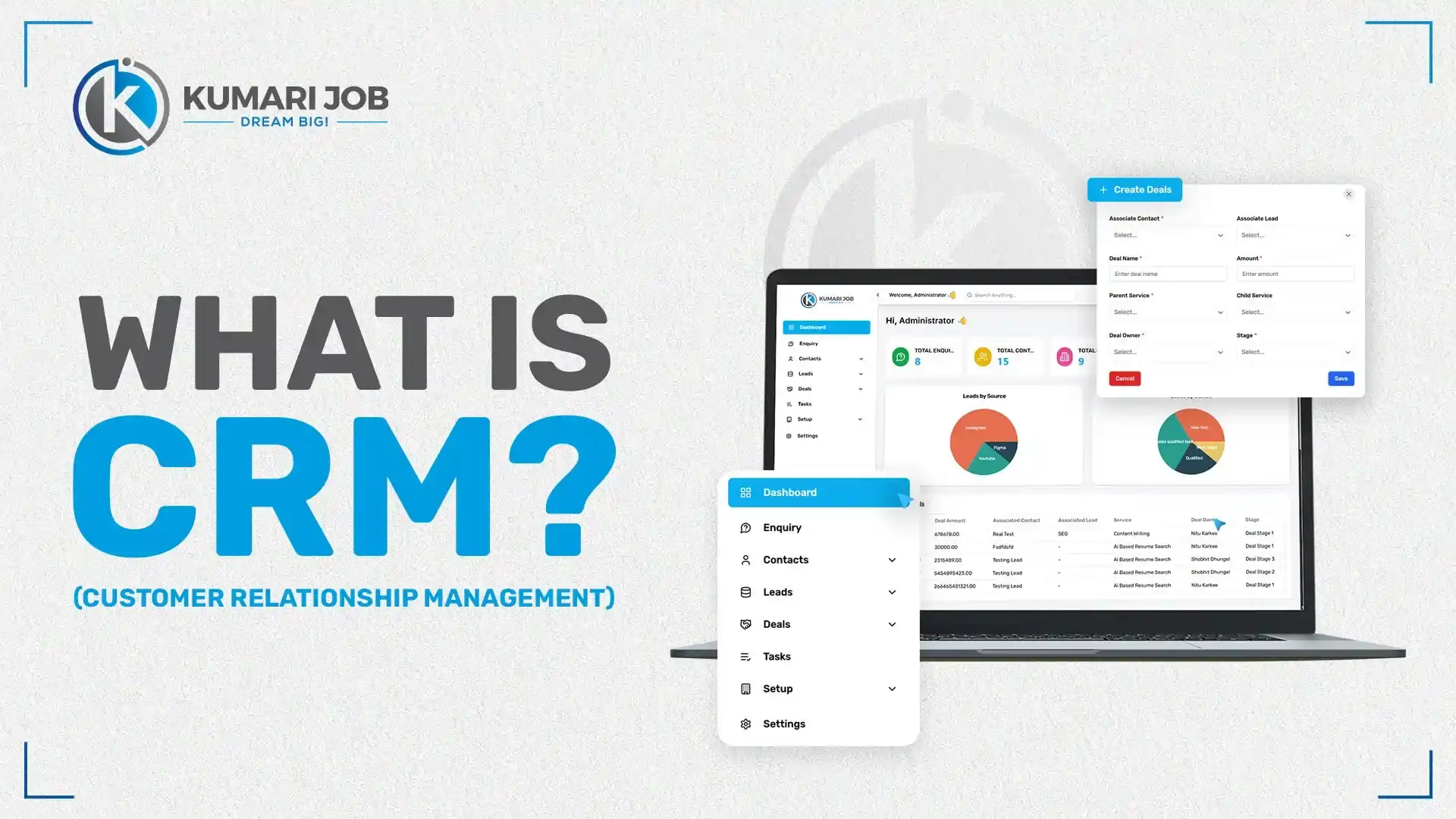
CRM stands for Customer Relationship Management. In simple words, it’s a software or system that helps businesses manage their connection with customers. Instead of keeping customer details in notebooks or files, CRM stores everything from names and contacts to emails, calls, and past purchases in one place.
A good CRM system helps companies stay organized and build better relationships with their customers. It reminds you when to follow up, helps you respond faster, and keeps your whole team on the same page. Whether it’s sales, marketing, or customer service, everyone can see the same information and work together smoothly.
Here’s how CRM helps a business:
Keeps all customer information safe and easy to find.
Tracks every interaction, from calls to emails.
Automates daily tasks like sending reminders or follow-up messages.
Helps teams plan sales and monitor performance.
Improves customer satisfaction through quick and personal service.
For example, imagine a digital marketing agency in Nepal using a CRM system. They can easily track which clients are active, who needs a new campaign proposal, and when to send updates. The CRM can even send automatic emails to clients, saving time and reducing errors.
In short, CRM makes customer handling simple, smart, and stress-free. It’s not just a tool; it’s like a reliable assistant that helps your business stay connected, grow faster, and keep customers happy for the long run.
A CRM works by collecting customer information, organizing it neatly, and helping businesses use that data to build stronger relationships and boost sales. It’s like having a digital assistant that keeps track of every customer detail and reminds you what to do next.
Here’s a simple step-by-step look at how a CRM works:
Collects customer data: A CRM gathers information from different sources, like websites, social media pages, emails, or even phone calls. Every time someone contacts your business, their details get stored automatically.
Stores and organizes data in one place: Instead of keeping notes everywhere, CRM keeps everything together, from names, contact numbers, to purchase history, and previous chats. Anyone in your team can find what they need in seconds.
Automates communication: The system can send follow-up emails, birthday messages, or meeting reminders automatically. You don’t have to remember every little thing. CRM does it for you.
Tracks performance and generates reports: It helps you see how your sales team is performing, which products sell best, and where you might be losing customers. These insights help you make better business decisions.
Let’s take an easy example. Imagine a Nepali e-commerce business selling clothes online. Their CRM collects customer details when someone signs up or buys a product. It then sends thank-you emails, tracks repeat buyers, and even reminds the team when to offer a discount. Over time, this helps them recognize loyal customers and boost repeat sales without extra effort.
In short, a CRM quietly works behind the scenes to manage data, save time, and make sure no customer is ever forgotten. It turns simple customer details into powerful insights that help a business grow smoothly and smartly.
Main Objectives of CRM
The main goal of a CRM system is to help businesses understand their customers better and manage relationships more easily. It’s not just about storing data; it’s about turning that data into stronger connections and better service. A CRM helps teams work together, close more sales, and make customers feel valued every step of the way. Let’s look at the main objectives in detail.
1. Build Strong Relationships
The heart of any business is its customers. CRM helps you stay connected with them by keeping track of every call, email, or message. You can easily see what they like, what they’ve bought, and when to reach out again. This makes your communication more personal and timely. When customers feel noticed and cared for, they are more likely to trust your business. Over time, that trust turns into loyalty, and loyal customers bring steady growth.
2. Boost Sales and Retention
CRM helps you sell smarter, not harder. It tracks leads, reminds you about follow-ups, and shows which customers are likely to buy again. You can focus more on the right people instead of wasting time guessing. By keeping customers happy through quick service and personalized offers, you naturally increase repeat sales. When people come back again and again, your business stays stable and grows faster.
3. Improve Team Communication
A CRM connects everyone in the company, so no one misses important information. Everyone can see the same customer details, which reduces confusion and mistakes. When a customer calls, any team member can help quickly because all data is right there. This builds trust not only with customers but also among your team members. Working together becomes smoother and more enjoyable.
4. Centralize Customer Data
Instead of keeping notes in different places, CRM brings all information together in one safe system. From contact details to order history, everything is neatly organized. This makes it easy for anyone in the company to find what they need within seconds. It also prevents data loss or mix-ups that often happen with manual records. Having everything in one place saves time and helps make better business decisions.
5. Automate Repetitive Tasks
CRM takes care of boring, repetitive jobs so your team can focus on bigger things. It can send automatic follow-up emails, reminders, or even thank-you messages. You no longer need to worry about forgetting a client call or missing a deadline. Automation saves hours of work each week and keeps your customers updated on time. With less manual work, your team becomes more productive and stress-free.
Types of CRM
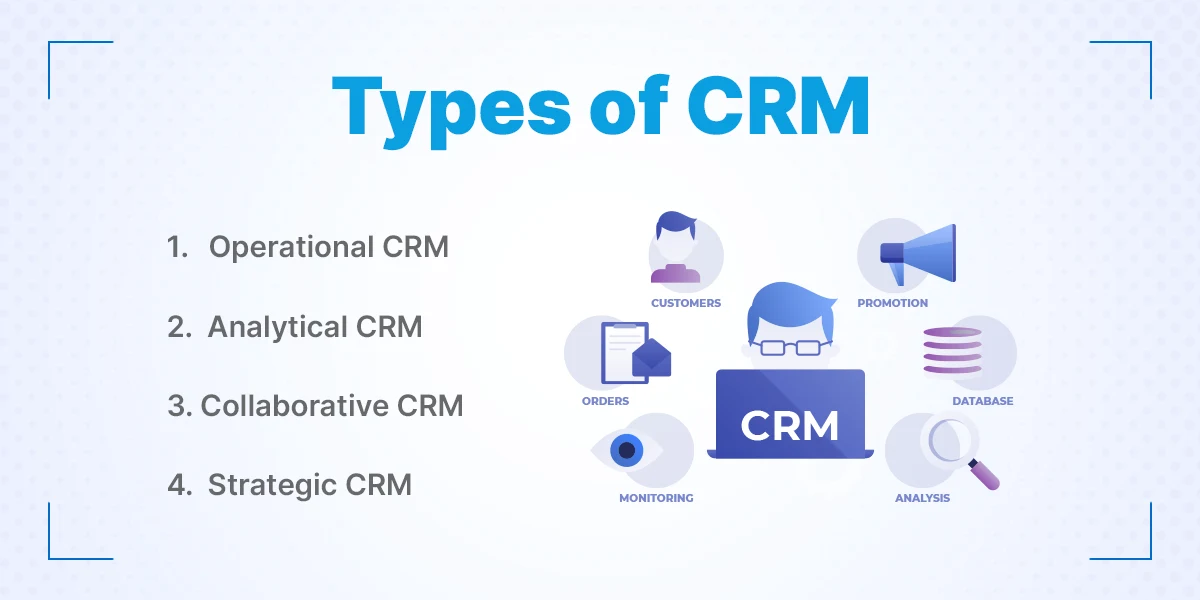
Not all CRMs are the same. Different businesses need different kinds of systems based on their goals and size. Some focus more on sales, while others are built for teamwork or long-term planning. Let’s look at the four main types of CRM and how each one helps businesses in its own way.
1. Operational CRM
This type of CRM focuses on daily business work like sales, marketing, and customer service. It helps your team save time by automating tasks such as follow-up emails, appointment reminders, or support tickets. You can track every customer from the first contact to the final sale in one place. It also keeps your communication quick and professional. For example, a company can use operational CRM to automatically send a “thank you” email after a customer makes a purchase. This kind of automation makes customers feel valued while reducing manual effort for your team.
2. Analytical CRM
Analytical CRM helps businesses understand customer behavior through data and reports. It collects and studies information like buying patterns, website visits, and feedback. This helps you see which products or services perform best and where you can improve. The system turns raw data into useful insights for better decision-making. For instance, a marketing team can find out which type of ads brings more leads. With this knowledge, they can plan smarter campaigns that attract more customers and save money.
3. Collaborative CRM
This CRM connects different departments such as sales, marketing, and support, so everyone works together smoothly. When all teams share the same customer data, the business runs faster and more efficiently. It helps avoid miscommunication because everyone can see the latest updates in real time. For example, if the sales team updates a client’s issue, the support team can view it instantly and offer better help. Collaborative CRM makes teamwork simple and improves the customer experience, too.
4. Strategic CRM
Strategic CRM focuses on building long-term relationships rather than just making quick sales. It uses customer data to understand needs, preferences, and buying habits. With this information, businesses can plan personalized offers or loyalty programs. It’s all about keeping customers happy for years, not just one purchase. For example, a retail brand can send birthday discounts or special offers based on shopping history. Over time, these small gestures help create loyal customers who keep coming back.
Key Features of CRM Software
A CRM system is packed with tools that make business management easier and more organized. These features help teams save time, track progress, and serve customers better. Whether you run a small company or a big organization, these tools help you stay on top of everything, from leads to communication and performance. Let’s go through some of the key features in simple words.
1. Contact & Lead Management
This feature stores all customer and lead information in one place, from names, phone numbers, to emails, and past interactions. You can easily find and manage every contact whenever needed. It also helps you track where each lead came from and how close they are to making a purchase. This keeps your sales team organized and ready to follow up at the right time. No more lost contacts or missed chances.
2. Sales Pipeline Tracking
A sales pipeline shows every stage of your sales process, from the first call to the final deal. CRM helps you see which customers are still deciding, which are ready to buy, and which deals need attention. This makes it easier to plan your next move and close sales faster. You can even set reminders for follow-ups and track your overall sales performance easily.
3. Task & Workflow Automation
CRM takes care of repetitive daily tasks like sending reminders, assigning leads, or updating records. It saves hours of manual work and keeps your team focused on important goals. You can set automatic rules to make sure nothing is missed. For example, once a new lead is added, the system can automatically assign it to a salesperson.
4. Email & SMS Integration
This feature allows you to send messages directly from the CRM. You can run email or SMS campaigns, send updates, and follow up with customers in just a few clicks. All communication is saved in the customer’s record, so your team can always see the full history. It’s faster, more organized, and helps you stay connected.
5. Reports & Analytics
CRM systems generate detailed reports about sales, marketing, and customer activity. These reports show what’s working well and what needs improvement. You can track goals, measure team performance, and make smarter business decisions. With clear data, you don’t have to guess. You know exactly where your business stands.
6. Customer Support System
This feature helps you handle customer questions or problems through a ticket system. Each issue gets tracked until it’s solved, so no one is forgotten. Your support team can see all past communications and respond quickly. This builds trust and keeps customers satisfied.
7. Cloud & Mobile Access
Modern CRMs can be accessed from anywhere, from a laptop, tablet, or smartphone. That means your team can check updates, add notes, or close deals even while on the move. Everything stays synced in real time, so you never miss important updates.
8. Integration with Other Tools
CRM easily connects with other systems like your website, ERP, or accounting software. This allows smooth data sharing and avoids manual entry. For example, when someone fills out a form on your website, their details automatically appear in your CRM. It keeps your business running smoothly and saves valuable time.
Looking for the Best CRM Software in Nepal?
Simplify lead management, automate sales, and build stronger customer relationships with our advanced CRM software designed for Nepali businesses.
Using a CRM is one of the smartest steps any business can take. It helps you manage customers better, work faster, and make stronger business decisions. Whether you run a small shop or a growing company in Nepal, CRM brings structure and peace of mind to your daily work. Here are some of the biggest benefits of using a CRM system, explained simply.
1. Better Customer Satisfaction
A CRM helps you know your customers well, their needs, preferences, and purchase history. This makes it easy to give them a more personal and quick response. When customers feel heard and valued, they stay loyal for longer. The system also reminds you about follow-ups and important dates so you never forget to connect. Happy customers often return and even recommend your business to others.
2. Centralized Data Access
Instead of searching through messy spreadsheets or notes, CRM keeps everything in one organized place. All customer details, messages, and sales records are stored safely and can be accessed anytime. Everyone in your team can view the same information instantly. This reduces confusion and saves hours of wasted time. Having one reliable source of truth makes your business run smoothly.
3. Saves Time with Automation
CRM systems take care of repetitive jobs automatically, like sending reminders, tracking leads, or updating records. You don’t have to do these small tasks manually anymore. Automation allows your team to focus on important work, such as closing deals or improving services. It also reduces human errors and keeps everything running on schedule. Over time, this saves a lot of energy and effort.
4. Improved Team Collaboration
CRM keeps everyone connected, sales, marketing, and support teams all work from the same platform. When one team updates a customer’s information, everyone else can see it right away. This makes teamwork smoother and avoids confusion. If a customer calls, any team member can instantly understand their history and help. Better communication within the team leads to better service for customers, too.
5. Higher Productivity and Sales
Because CRM keeps data organized and automates tasks, your team can do more work in less time. Salespeople can easily track leads, follow up quickly, and close deals faster. Managers can monitor progress without needing long reports. As a result, your business becomes more efficient and your sales naturally increase. It’s like giving your team extra time every day to focus on what matters most.
6. Data-Based Decisions
CRM gives you clear reports and analytics that help you understand how your business is performing. You can see what’s working and what’s not, which products are selling best, or which campaigns bring the most leads. This allows you to make smart decisions backed by real data, not guesses. With these insights, you can plan better strategies and grow your business confidently.
CRM vs ERP (Key Difference)
Many people get confused between CRM and ERP, but they serve different purposes. CRM is all about managing customers, leads, and sales. ERP, on the other hand, focuses on managing internal business operations like finance, HR, and inventory. While they are different, both systems can work together to make a business run smoothly.
Feature
CRM
ERP
Main Focus
Customers, leads, sales, marketing
Internal operations like finance, HR, and inventory
Purpose
Improve customer relationships and boost sales
Manage resources, processes, and internal workflow
Can connect with CRM to align internal operations with customer needs
In short, CRM helps you manage people outside your company, while ERP manages things inside your company. Using both together makes a business stronger and more organized.
Use Cases of CRM in Different Industries
CRM is not just for big companies; it can help businesses in almost every industry. Whether it’s managing clients, tracking leads, or improving communication, CRM makes work simpler and more organized. Let’s see how different industries in Nepal can use CRM to grow and serve customers better.
1. IT Companies
IT companies often handle multiple projects and clients at the same time. CRM helps track each client’s requirements, project progress, and deadlines in one place. It also manages support tickets, so any technical issue is resolved quickly. Sales teams can track potential clients and follow up efficiently. Marketing teams can run campaigns targeting the right audience. CRM ensures that all departments see the same data, avoiding confusion. Overall, it improves teamwork and customer satisfaction in IT businesses.
2. Education Sector
Schools, colleges, and training centers can use CRM to manage student inquiries and admissions. Every query from a student or parent is recorded in the system. CRM helps staff follow up with applicants on time and provide personalized guidance. It also tracks ongoing student progress and communication history. Marketing teams can see which courses are popular and plan promotions. With CRM, educational institutions can stay organized and provide a smooth experience to students and parents.
3. Real Estate
Real estate agents handle multiple property listings and clients every day. CRM helps manage property leads and track which clients are interested in which properties. Follow-ups can be automated, so no client is forgotten. It also records client preferences and past interactions. Agents can schedule site visits, share documents, and update statuses in one place. This system ensures faster sales and happier clients, which is very important in a competitive market.
4. Retail
Retail stores and e-commerce businesses can use CRM to manage customer loyalty programs and marketing campaigns. The system tracks repeat buyers and their purchase patterns. Personalized offers, discounts, and messages can be sent automatically. Staff can see customer preferences and provide better service. Reports help identify which products are selling well and which need promotion. With CRM, retailers can build stronger relationships and increase repeat sales.
5. Finance and Insurance
Banks, insurance companies, and financial firms can track client communication and service renewals with CRM. It helps schedule reminders for payments, renewals, or follow-up calls. Client queries and complaints are logged and resolved efficiently. CRM also stores important documents and transaction history securely. Marketing campaigns for financial products can be personalized based on client data. This improves trust, retention, and overall business growth in the finance sector.
Best CRM Software in Nepal (2026)
Choosing the right CRM is important to manage customers, save time, and grow your business. In Nepal, both local and global CRM tools are used by companies of different sizes. Some are simple and free for startups, while others offer advanced features for large organizations. Here are the top CRM options in Nepal for 2026.
1. Kumari Job CRM
Kumari Job CRM is designed specifically for Nepali businesses. Recognized as one of the best CRM software in Nepal, it focuses on HR and recruitment, making it easy to manage hiring and track candidates. Companies can also handle client relationships and communication efficiently. The system is simple to use and perfectly fits local business needs. It helps save time and reduces manual errors in recruitment. Small and medium companies in Nepal find it very practical and reliable for daily operations.
Kumari Job’s Other Employer Services
Apart from providing one of the best CRM software in Nepal, Kumari Job also offers a range of digital HR and recruitment solutions designed to make business operations faster, smarter, and more organized. These tools help companies manage their workforce, announce vacancies, and handle clients or consultancy operations efficiently.
a. Human Resource Management System (HRMS)
Kumari Job’s Human Resource Management System (HRMS) helps employers manage employee records, attendance, payroll, and performance in one secure platform. It reduces manual paperwork and ensures accuracy in HR operations. The system is designed for Nepali organizations, making it simple, localized, and effective for day-to-day HR management.
b. Vacancy Announcement
With Kumari Job’s Vacancy Announcement service, employers can easily post job openings and reach thousands of active job seekers across Nepal. The platform ensures that your listings get maximum visibility through the Kumari Job portal and social media promotions. This helps companies attract the right candidates quickly and efficiently.
c. Consultancy Management System
The Consultancy Management System by Kumari Job is developed for education and business consultancies that need to manage clients, students, and documentation effectively. It tracks applications, follow-ups, and client communication in one place
2. Pace CRM
PACE CRM is a customer relationship management software developed by The Pace Infosys to help businesses manage leads, customers, and sales activities in a more organized way. It is designed for companies that want a simple but effective system to track client interactions and improve their sales process. Instead of managing customer data manually, businesses can store all information in one centralized platform and access it whenever needed. The system allows teams to manage leads, monitor deal progress, and keep track of every interaction with potential and existing customers. By organizing sales pipelines and follow-ups in one place, businesses can ensure that no opportunity is missed. This helps sales teams stay focused on the right prospects and close deals more efficiently.
PACE CRM also supports integration with communication tools such as email, which allows teams to maintain consistent contact with customers and prospects. Managers can monitor team performance through built-in reporting and analytics, helping them understand which strategies are working and where improvements are needed. Another important advantage of PACE CRM is its cloud-based accessibility. Teams can access customer information, update deal progress, and manage tasks from different locations without depending on manual files or spreadsheets. This makes collaboration easier and improves workflow within the organization.
Overall, PACE CRM is a practical solution for businesses that want to streamline their sales operations, improve customer relationship management, and support business growth with organized and data-driven processes.
3. Zoho CRM
Zoho CRM is affordable and widely popular among SMEs. It provides tools for sales, marketing, and customer support. The interface is simple and easy to navigate. Automation features save time, and reporting helps track performance. Zoho also integrates with other apps, making work smoother. Many small businesses in Nepal rely on it for daily operations.
4. Salesforce
Salesforce is a global leader in CRM and is used by large organizations. It offers advanced features for sales, marketing, and analytics. The system can be customized for complex business needs. It helps track customer interactions across all channels. Large companies use Salesforce to improve efficiency and make data-driven decisions.
5. HubSpot CRM
HubSpot CRM is ideal for startups and small agencies. It has a free version that covers basic CRM needs. Teams can manage contacts, sales pipelines, and communication easily. It’s simple to set up and user-friendly. HubSpot also offers marketing and automation tools for growing businesses.
6. Freshsales (Freshworks)
Freshsales provides an easy-to-use platform with automation tools for sales and marketing. It helps track leads, manage pipelines, and follow up on time. The interface is clean, and the features are practical for small and medium businesses. Reports and analytics help make better decisions. It saves time and keeps teams organized.
7. Bitrix24
Bitrix24 combines CRM with project management and team chat. It’s useful for businesses that want all tools in one platform. You can manage clients, tasks, and communication without switching apps. Automation features save time on repetitive work. It works well for teams of any size.
8. Locally Developed CRMs
Some Nepali tech companies develop CRMs tailored for local businesses. They provide Nepali language support and features customized for the market. These CRMs often include local payment systems, HR tools, and recruitment tracking. They are ideal for companies that need a fully local solution.
How to Choose the Right CRM for Your Business?
The right CRM is the one that fits your business needs, team, and budget perfectly. Choosing carefully ensures you save time, manage customers better, and grow smoothly. Here’s how you can pick the best CRM for your Nepali business.
1. Know Your Business Needs
First, understand your business size, goals, and biggest challenges. Are you a small startup or a large company? Do you need CRM mostly for sales, marketing, or customer support? Knowing your pain points will help you pick a system that solves real problems. Don’t choose a tool just because it’s popular; it should fit your daily work. Make a list of what you want to achieve with CRM. This makes it easier to compare options later.
2. Compare Features and Ease of Use
Not all CRMs have the same tools. Look for features that match your needs, like automation, reporting, or email integration. The system should also be simple for your team to use. A complicated CRM can slow down work instead of helping. Try demo versions if available. Check if it allows you to customize dashboards, pipelines, or reports easily.
3. Check Local Support
Good customer support is very important, especially in Nepal. Make sure the CRM provider offers help in your time zone or local language. Quick support saves you from long delays if problems arise. Some international CRMs may have limited local help, while local CRMs usually provide faster assistance. Ask about training, guides, and ongoing support options.
4. Integration with Existing Tools
Your CRM should work smoothly with the tools you already use. This could be your email system, website forms, accounting software, or ERP. Integration prevents duplicate work and keeps all data connected. For example, customer info from your website should automatically enter the CRM. Check if the system supports the apps your business relies on. This saves time and avoids confusion.
5. Budget and Scalability
Finally, consider the cost and future growth. Some CRMs are free for small teams, while others charge monthly fees. Think about how your business may grow in 2–3 years. You need a system that can scale as you hire more staff or manage more customers. A CRM that grows with your business avoids switching tools later. Always balance price with features and long-term benefits.
Common Challenges of CRM Implementation
Implementing a CRM can bring big benefits, but it’s not always easy. Many businesses face challenges when setting up a system for the first time. Understanding these problems can help you plan better and avoid mistakes. Here are the most common challenges businesses face with CRM implementation.
1. Data Migration Issues
Moving customer data from old systems to a new CRM can be tricky. Sometimes data gets duplicated or lost during the transfer. Incomplete or messy data can cause errors in reporting and communication. It takes careful planning to clean and organize data before migration. Businesses often need extra time to check that everything is accurate. Proper preparation makes the process much smoother.
2. Lack of User Training
Even the best CRM is useless if the team doesn’t know how to use it. Without proper training, employees may avoid using the system or use it incorrectly. This leads to missing information and wasted time. Training should cover daily tasks, reports, and automation tools. Regular refreshers and guidance help ensure everyone is confident using the CRM.
3. Too Complex for Small Teams
Some CRMs have advanced features that small teams don’t need. Overly complicated systems can confuse users and slow down work. Small businesses may end up paying for features they never use. It’s better to start with essential tools and upgrade later if needed. Choosing a simple and user-friendly CRM makes adoption easier.
4. Integration Issues
Older systems or existing software may not easily connect with a new CRM. This can create extra work, like manually transferring data or checking for errors. Integration problems can slow down processes and reduce efficiency. It’s important to check compatibility with email, accounting, ERP, and other tools before choosing a CRM. Planning integration in advance saves time and headaches later.
Tips for Effective CRM Use
Using a CRM is easy, but getting the most out of it requires some care. Small mistakes or neglect can reduce its benefits. By following a few simple practices, your team can fully leverage CRM to save time, serve customers better, and grow your business. Here are the top tips for effective CRM use.
1. Provide Team Training
A CRM works best when everyone knows how to use it properly. Train your team on daily tasks, automation tools, and reporting features. Make sure they understand how to update customer information and track leads. Regular guidance and refresher sessions help prevent mistakes. A well-trained team uses the CRM consistently and effectively.
2. Keep Data Updated
Customer information changes frequently, so updating data is very important. Incorrect or old data can lead to missed follow-ups or wrong offers. Make it a habit to check and correct information regularly. Encourage your team to add new contacts and update details immediately. Clean and accurate data ensures smooth operations and better decision-making.
3. Automate Repetitive Tasks
One of the main benefits of CRM is automation. Use it to send follow-up emails, reminders, or notifications automatically. This saves time and reduces the chance of forgetting important tasks. Automating routine work allows your team to focus on building relationships and closing deals. Over time, this improves productivity and efficiency.
4. Analyze Reports Regularly
CRM generates valuable reports about sales, leads, and customer behavior. Regularly reviewing these reports helps you see what’s working and what needs improvement. Use insights to plan campaigns, improve services, or train your team better. Analyzing data keeps your business strategy smart and up-to-date.
5. Start with Essential Features
New users can get overwhelmed with too many features at once. Start with the most important tools like contact management, follow-ups, and basic reports. Once your team is comfortable, gradually explore advanced features. This approach prevents confusion and ensures smooth adoption. Step-by-step learning helps your business grow with the CRM.
Conclusion
CRM is no longer just a tool; it’s a must-have for every modern business in Nepal. It helps you manage customer relationships, track leads, automate tasks, and make smarter decisions. With the right CRM, teams work better together, save time, and provide faster, more personal service. From small startups to large companies, CRM makes daily operations easier and improves customer satisfaction.
Choosing the right system, keeping data updated, and training your team are key to getting the best results. Whether you use a local tool like Kumari Job CRM or a global platform like Zoho, adopting CRM today can strengthen your customer connections and help your business grow steadily in 2026 and beyond.
Frequently Asked Questions
CRM stands for Customer Relationship Management. It helps businesses manage customer information, track interactions, and improve relationships. Using CRM makes customers happier and boosts sales.
The main types are Operational, Analytical, Collaborative, and Strategic CRM. Each focuses on different goals like sales, data analysis, teamwork, or long-term customer loyalty.
CRM organizes customer data, automates tasks, and improves follow-ups. It saves time, increases sales, and helps small teams work efficiently.
Popular options include Kumari Job CRM, Zoho CRM, HubSpot, and Salesforce. The best one depends on your business size, goals, and budget.
Yes, Kumari Job CRM offers a free trial version of the CRM software. Also, HubSpot CRM and Zoho CRM offer free versions suitable for startups and small businesses.
Look for contact management, sales tracking, automation, reporting, email/SMS integration, and mobile access.
Kumari Job CRM helps Nepali companies manage recruitment, track candidates, and handle client communication easily.
Yes, CRMs like Kumari Job CRM can provide Nepali language support and features tailored to the needs of Nepali companies.
Advance Your Career with Practical Training
Master high-demand skills through expert-led
training
designed
for
Nepal’s job market. Learn practical skills, earn certificates, and
get
100% job
assistance to boost your chances of getting hired.
Thousands of Jobs
Waiting for You
Find jobs that perfectly match your skills,
experience,
and
goals from thousands of
verified listings across Nepal. Start your journey to a rewarding
career
today.











Loading Comments...